Roles / A learning decision

Copilot training for sales

Choose sales preparation and proposal workflows.

Start with a discovery agenda and customer context, then draft follow-up and proposal options. If you need Dynamics 365 Sales, ask the provider whether the course uses it.

Compare the named options ↓
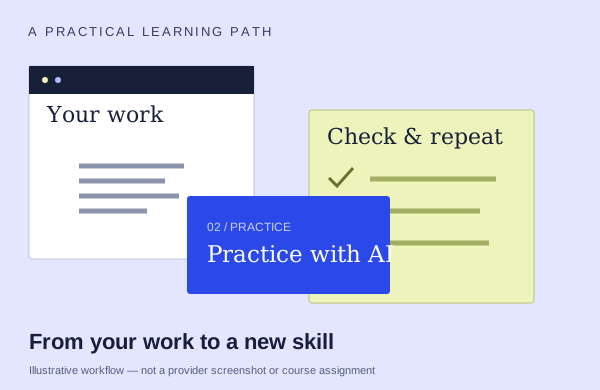
An illustrative learning workflow: start with source material, practice and check the output
An illustration to frame your learning goal—not an assignment promised by every course.

Selection checklist

Compare the details that matter.

01 / COMPARE

Discovery

Will you prepare questions and an agenda from customer context? Compare that with a lesson focused mainly on writing a final proposal.

02 / COMPARE

proposal/RFP work

Ask how the exercise connects source requirements to a proposal or response. Look for checking coverage and claims instead of only generating persuasive copy.

03 / COMPARE

follow-up

Compare drafting an email with capturing a clear next step. Ask how the workflow preserves the commitments and context from the conversation.

04 / COMPARE

product identity

Identify the actual Copilot experience and where the work is created. Ask about sources, testing, sharing and administration instead of relying on the word agent.

Options to compare.

Selected examples with different tradeoffs. A broader course may include this topic as one part of its curriculum.

01 /

Nexacu

M365 Copilot for Sales

Discovery agenda,follow-up email,phased proposal,three commercial options. Researcher.

Confirm training formatConfirm duration with providerAsk provider for pricing

Practice & setup: Ask whether you will watch demonstrations, work through exercises, or receive individual feedback. M365 Copilot recommended

Confirm teaching language. Ask about current dates and enrollment.

View the provider’s course ↗
02 /

ACE Training

Copilot: Sales Use Case

Build a Loop market research report and PowerPoint sales deck, extract actions from project email, meeting and chat context, and compare supplier agreements in Word.

Confirm training formatAsk about course lengthNZD 89 per person

Practice & setup: Ask whether you will watch demonstrations, work through exercises, or receive individual feedback. Ask which Microsoft account, app version and Copilot features you need for the exercises.

Confirm teaching language. Ask about current dates and enrollment.

View the provider’s course ↗
03 /

WorkWithAI

Sales with Microsoft 365 Copilot

Use Copilot Chat, Outlook, Word, Excel, PowerPoint, Teams, Notebooks and bounded Agent Builder for source-linked KYC and open questions. Treat DISC as a tentative communication hypothesis.

Confirm training formatConfirm duration with providerAsk provider for pricing

Practice & setup: Ask whether you will watch demonstrations, work through exercises, or receive individual feedback. Current proposal request for a sales team is shown. A laptop and suitable active M365 Copilot access are recommended/required for active tasks; exact tenant, feature and software requirements must be confirmed. No included license or lab is established.

Confirm teaching language. Ask about current dates and enrollment.

View the provider’s course ↗
Confirm the exact delivery, teaching language, price basis and software access. A lab or exercise advertised by a provider is not the same as included Microsoft feature rights.
Search the wider catalog ↗