Tools / A learning decision

Copilot Excel training

Choose spreadsheet instruction with relevant analysis and checks.

Compare cleaning a sales table, building a formula and inspecting a chart against the source rows. A course demonstrating external AI beside Excel needs its native Copilot portion identified.

Compare the named options ↓
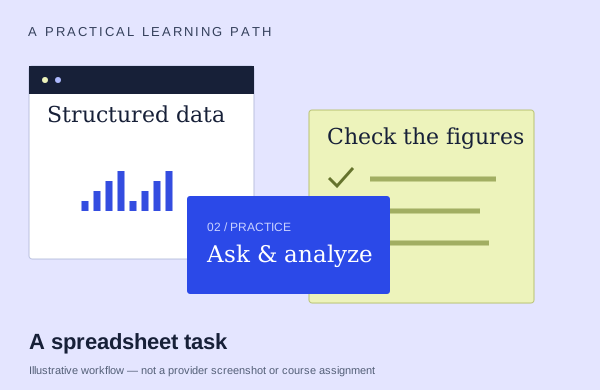
An illustrative excel workflow: start with source material, practice and check the output
An illustration to frame your learning goal—not an assignment promised by every course.

Selection checklist

Compare the details that matter.

01 / COMPARE

Table/formula work

Look for a task that creates or explains a formula and checks the answer against the source rows. Ask how errors and unsuitable suggestions are corrected.

02 / COMPARE

analysis depth

Compare preparing the data, exploring it and interpreting the result. Ask which analysis methods you will use rather than counting the number of charts demonstrated.

03 / COMPARE

verification

Look for a concrete check against the original material. What happens when a figure, claim or reference is wrong, and will you practice correcting it?

04 / COMPARE

supported software setup

Name the Microsoft plan, app version and features needed for the exercises. A lesson subscription, an Office license and Copilot feature rights are separate requirements.

Options to compare.

Selected examples with different tradeoffs. A broader course may include this topic as one part of its curriculum.

01 /

SkillPath

Microsoft Copilot in Excel: Smarter Ways to Work With Data

Prepare data,prompt/refine formulas,explore trends,charts,validate outputs.

Confirm training format3 hoursAsk provider for pricing

Practice & setup: Ask whether you will watch demonstrations, work through exercises, or receive individual feedback. M365 desktop recommended;license unspecified

Confirm teaching language. Ask about current dates and enrollment.

View the provider’s course ↗
02 /

iTrain Scotland

Excel Data Analysis with Copilot

Clean/validate tables. Generate/debug formulas.

Confirm training format1 dayGBP 350 · confirm price basis

Practice & setup: Ask whether you will watch demonstrations, work through exercises, or receive individual feedback. Ask which Microsoft account, app version and Copilot features you need for the exercises.

Confirm teaching language. Ask about current dates and enrollment.

View the provider’s course ↗
03 /

SharePoint Business Solutions, Inc. (SBSI)

Copilot in Excel and Copilot Chat: Write a Clear Prompt, Check the Numbers

Compare vague, structured and file-grounded prompts. Demonstrate Excel highlighting and charting, and verify formulas and figures against source data.

Confirm training format60minAsk provider for pricing

Practice & setup: Ask whether you will watch demonstrations, work through exercises, or receive individual feedback. Anyone may watch without license; paid M365 Copilot,Excel and OneDrive workbook required for exercises.

Confirm teaching language. Ask about current dates and enrollment.

View the provider’s course ↗
04 /

Tertiary Courses Ghana

Microsoft 365 Copilot for Excel

A one-day Excel course covering table preparation, formulas, cleaning, pivots, charts and checks of AI-assisted analysis.

Confirm training format1 day · 7.5 hoursGHS 1,500 · confirm unit and taxes

Practice & setup: Ask whether you will watch demonstrations, work through exercises, or receive individual feedback. Confirm the required Microsoft plan, app setup and teaching language before choosing the virtual class. An English entry requirement is not a taught-language statement.

Confirm teaching language. Ask about current dates and enrollment.

View the provider’s course ↗
Confirm the exact delivery, teaching language, price basis and software access. A lab or exercise advertised by a provider is not the same as included Microsoft feature rights.
Search the wider catalog ↗