Learning choices / A learning decision

Free Copilot training

Find learning advertised without a tuition charge.

Compare a structured public introduction with a long free video. A zero lesson fee does not include the licensed Microsoft features shown in the lesson.

Microsoft states that Microsoft Learn training is free. Microsoft software and feature access remain separate.

Compare the named options ↓
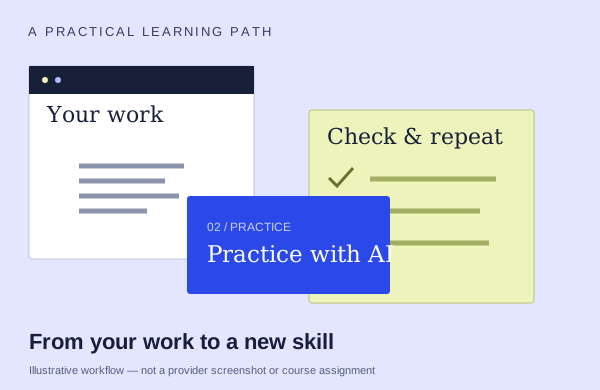
An illustrative learning workflow: start with source material, practice and check the output
An illustration to frame your learning goal—not an assignment promised by every course.

Selection checklist

Compare the details that matter.

01 / COMPARE

Full lesson access

Separate video runtime, class hours and expected practice time. Confirm when access begins, how long it lasts and whether you can replay the material.

02 / COMPARE

account requirement

Name the Microsoft plan, app version and features needed for the exercises. A lesson subscription, an Office license and Copilot feature rights are separate requirements.

03 / COMPARE

structure

Compare a sequenced path with a standalone lesson or long video. Check prerequisites, module order and checkpoints so you can decide what to study first and where to resume.

04 / COMPARE

software cost separate

List any Microsoft subscriptions or feature rights needed for practice. A free lesson can still demonstrate tools that require paid access.

Options to compare.

Selected examples with different tradeoffs. A broader course may include this topic as one part of its curriculum.

01 /

Microsoft

Empower your workforce with Microsoft Copilot

An official self-directed path organized around ten job-role scenarios, including finance, HR, sales and operations.

Self-directed pathAsk about course lengthFree learning · software separate

Practice & setup: Ask whether you will watch demonstrations, work through exercises, or receive individual feedback. Access to the Microsoft 365 apps and OneDrive used in the exercises. Some exercises need a Microsoft 365 Copilot license; agent access depends on organization settings.

English learning content. Ask about current dates and enrollment.

View the provider’s course ↗
02 /

Microsoft

Draft, analyze, and present with Microsoft Copilot (MS-4018)

An official intermediate learning path that moves through prompting, documents, spreadsheets, presentations, email and meetings.

Self-directed path7 modules · study time variesFree learning · software separate

Practice & setup: Ask whether you will watch demonstrations, work through exercises, or receive individual feedback. Basic functional experience with Microsoft 365 services is the stated prerequisite. Check feature and account requirements before practice.

English learning content. Ask about current dates and enrollment.

View the provider’s course ↗
03 /

COLAB.AI LIMITED / thecolab.ai

Microsoft 365 Copilot: a free introduction for NZ businesses

Email/quote note. Word draft.

Self-paced88minutes/21lessons across4modulesFree learning · software separate

Practice & setup: Ask whether you will watch demonstrations, work through exercises, or receive individual feedback. No login; public/fictional data; paper option without add-on.

Confirm teaching language. Ask about current dates and enrollment.

View the provider’s course ↗
04 /

Sabrina Ramonov / Sharee Brockington

Microsoft Copilot FULL COURSE! (2 Hours & Free)

Excel project dashboard/data restructuring. Word report-to-brief.

Self-paced2hours advertisedFree learning · software separate

Practice & setup: Ask whether you will watch demonstrations, work through exercises, or receive individual feedback. Public full-course host page and video link; native software/tenant is separate and not supplied.

Confirm teaching language. Ask about current dates and enrollment.

View the provider’s course ↗
Confirm the exact delivery, teaching language, price basis and software access. A lab or exercise advertised by a provider is not the same as included Microsoft feature rights.
Search the wider catalog ↗