Learning choices / A learning decision

Copilot course certificates explained

Choose a completion signal without inventing Microsoft certification.

Compare a provider completion certificate, a platform professional certificate and training explicitly awarding no certification. Ask whether assessment is included and what the credential actually names.

Compare the named options ↓
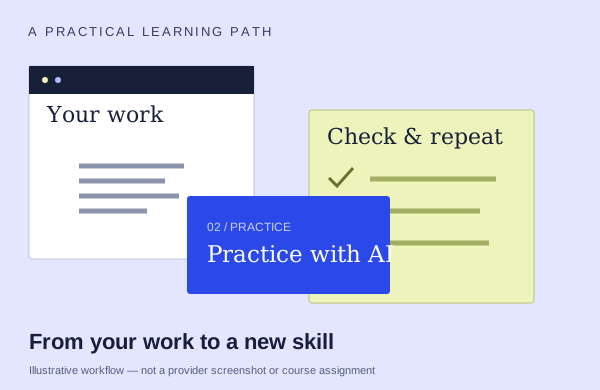
An illustrative learning workflow: start with source material, practice and check the output
An illustration to frame your learning goal—not an assignment promised by every course.

Selection checklist

Compare the details that matter.

01 / COMPARE

Issuer

Check the exact organization and credential name on the advertised completion signal. Do not assume a provider certificate is issued by Microsoft.

02 / COMPARE

completion versus assessment

Ask whether the signal recognizes attendance, finishing lessons or work that was assessed. Those are different forms of evidence.

03 / COMPARE

exam relationship

Check whether an exam or external assessment is actually included, separately priced or unrelated. A course title does not establish an exam entitlement.

04 / COMPARE

fee/access basis

Compare the same number of learners and the same delivery. Confirm the currency, whether the amount is per person or group, taxes and what the quote actually includes.

Options to compare.

Selected examples with different tradeoffs. A broader course may include this topic as one part of its curriculum.

01 /

Certstaffix Training

Microsoft Copilot Course (461)

A two-day live introduction combining web/mobile Copilot with practical tasks in Microsoft 365 apps.

Live online2 daysUSD 700 per person

Practice & setup: Lab advertised for class duration; exact Microsoft feature access needs confirmation. A class-duration software lab is advertised. Ask which Copilot plan, account and permissions are included; private classes may use a trial account.

Confirm teaching language. Ask about current dates and enrollment.

View the provider’s course ↗
02 /

Certstaffix Training

Microsoft Copilot eLearning Bundle (440)

An eleven-course recorded bundle covering beginner Copilot and Microsoft 365 app work, with six months of lesson access.

Self-paced11 courses · 6 months of accessUSD 375 per person

Practice & setup: Recorded lessons and activities; bring suitable software for in-app practice. Software lab is not included. Suitable Microsoft software and feature access are needed to follow along.

English learning content. Ask about current dates and enrollment.

View the provider’s course ↗
03 /

Microsoft

Microsoft 365 with Generative AI Professional Certificate

Four-course sequence covers fundamentals, Excel analysis/visualization, Word/PowerPoint content, and Teams/Outlook collaboration, with simulated projects and a fictional-business capstone.

Confirm training formatestimate 2 months at 10 hours/week; components 21/26/20/21 hoursAsk provider for pricing

Practice & setup: Ask whether you will watch demonstrations, work through exercises, or receive individual feedback. basic M365 proficiency plus M365 with Copilot enabled

Confirm teaching language. Ask about current dates and enrollment.

View the provider’s course ↗
04 /

FlowChainLabs

Microsoft Copilot Training for Teams

Practice on learners’ own M365 work files: Outlook threads/replies, Teams decisions/actions, Word proposals, Excel formulas/trends and PowerPoint. Build prompts, a recurring-job agent and AI-use policy.

Live onlineAsk about course lengthAsk provider for pricing

Practice & setup: Ask whether you will watch demonstrations, work through exercises, or receive individual feedback. Ask which Microsoft account, app version and Copilot features you need for the exercises.

Confirm teaching language. Ask about current dates and enrollment.

View the provider’s course ↗
Confirm the exact delivery, teaching language, price basis and software access. A lab or exercise advertised by a provider is not the same as included Microsoft feature rights.
Search the wider catalog ↗