Workflows / A learning decision

Copilot document editing training

Choose revision and evidence-checking over first-draft generation.

Revise a draft for structure and tone while keeping facts tied to source material. Contrast general Word editing with advanced or domain-specific reporting.

Compare the named options ↓
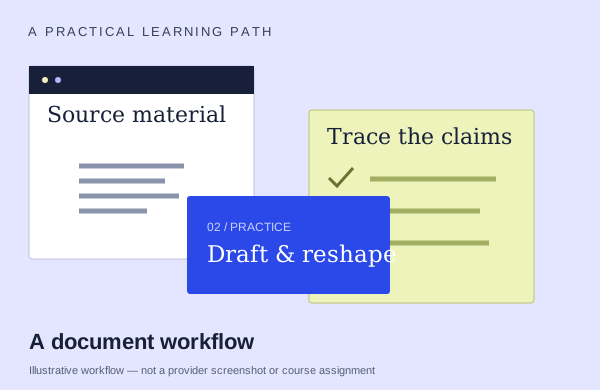
An illustrative documents workflow: start with source material, practice and check the output
An illustration to frame your learning goal—not an assignment promised by every course.

Selection checklist

Compare the details that matter.

01 / COMPARE

Editing sequence

Start with source material and inspect how the draft changes. Ask which revisions you will make and how you preserve facts while improving structure and tone.

02 / COMPARE

factual preservation

Look for a concrete check against the original material. What happens when a figure, claim or reference is wrong, and will you practice correcting it?

03 / COMPARE

manual review

Ask which parts of the edited document you review manually: facts, structure, tone, references and formatting. Look for practicing the correction, not simply accepting a rewrite.

04 / COMPARE

prior Word skill

Describe what you can already do in the app. Compare that with the actual prerequisite tasks; beginner and advanced labels can mean different things across providers.

Options to compare.

Selected examples with different tradeoffs. A broader course may include this topic as one part of its curriculum.

01 /

National Association of Certified Valuators and Analysts (NACVA) / Consultants' Training Institute

Writing Smarter: AI for Microsoft Word (2109Q)

Copilot in Word for professional report revision, clarity/readability and writing workflow. Adobe Acrobat AI Assistant also covers summaries/rephrasing.

Confirm training formatAsk about course lengthAsk provider for pricing

Practice & setup: Ask whether you will watch demonstrations, work through exercises, or receive individual feedback. Current course-specific store item 25PM0820WSA; recorded 20 Aug 2025. Basic Word/Acrobat familiarity; no prior AI required.

Confirm teaching language. Ask about current dates and enrollment.

View the provider’s course ↗
02 /

Koenig Solutions

Advanced Microsoft Word Using Co-Pilot

Draft from multiple sources. Adjust tone.

Confirm training formatConfirm duration with providerAsk provider for pricing

Practice & setup: Ask whether you will watch demonstrations, work through exercises, or receive individual feedback. Ask which Microsoft account, app version and Copilot features you need for the exercises.

Confirm teaching language. Ask about current dates and enrollment.

View the provider’s course ↗
03 /

Investigations Training

Course3: AI for Investigative Reporting

Import interview statements. Factual summaries/timelines.

Confirm training format6.5 hoursAsk provider for pricing

Practice & setup: Ask whether you will watch demonstrations, work through exercises, or receive individual feedback. Registration; Word+Copilot required; fundamentals or equivalent.

Confirm teaching language. Ask about current dates and enrollment.

View the provider’s course ↗
Confirm the exact delivery, teaching language, price basis and software access. A lab or exercise advertised by a provider is not the same as included Microsoft feature rights.
Search the wider catalog ↗