Workflows / A learning decision

Copilot email and follow-up training

Choose a thread-to-action communication workflow.

Convert a long email thread into a checked reply, meeting agenda and stakeholder follow-up. Compare single-app instruction with a project communications plan.

Compare the named options ↓
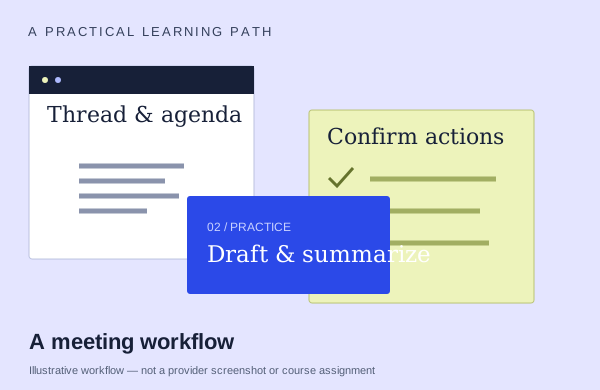
An illustrative meetings workflow: start with source material, practice and check the output
An illustration to frame your learning goal—not an assignment promised by every course.

Selection checklist

Compare the details that matter.

01 / COMPARE

Thread synthesis

Define the question and the decision the output needs to support. Compare how courses select evidence, handle gaps and turn the result into something another person can use.

02 / COMPARE

reply quality

Compare the draft reply with the original thread: does it answer the question, preserve commitments and use an appropriate tone? Ask how you correct missing context before sending.

03 / COMPARE

action ownership

Follow the whole meeting workflow: preparation, capture and checked follow-up. Confirm which settings or recording/transcription conditions the demonstrated steps depend on.

04 / COMPARE

cross-app handoff

Track the output into its next use. Ask how you update the source, review changes and hand work to the next person without losing context.

Options to compare.

Selected examples with different tradeoffs. A broader course may include this topic as one part of its curriculum.

01 /

SharePoint Business Solutions, Inc. (SBSI)

Copilot in Outlook: Summarize Threads, Draft Replies, Prepare for Meetings

Thread summary→reply/Coaching→meeting time→colleague/file prep agenda→notes-based follow-up.

Live online60min live workshopAsk provider for pricing

Practice & setup: Ask whether you will watch demonstrations, work through exercises, or receive individual feedback. Daily Outlook;BYO paid Copilot,new Outlook Windows/web,OneDrive.

Confirm teaching language. Ask about current dates and enrollment.

View the provider’s course ↗
02 /

SharePoint Business Solutions, Inc. (SBSI)

Copilot in Outlook and Teams: Long Email Threads and Meeting Follow-Up

Summarize email, draft and coach a reply, and schedule from a thread. Demonstrate Teams meeting recaps, actions, settings and chat summaries using a previously recorded meeting.

Live online60minAsk provider for pricing

Practice & setup: Ask whether you will watch demonstrations, work through exercises, or receive individual feedback. No license to watch; Outlook follow-along where Copilot button exists. General body mentions paid license; actual entitlement untested.

Confirm teaching language. Ask about current dates and enrollment.

View the provider’s course ↗
03 /

LinkedIn Learning

Copilot for Project Management: Automate Stakeholder Communications

Build a project communications plan. Prepare stakeholder emails and Teams meeting agendas/check-ins/status.

Self-paced1h35Ask provider for pricing

Practice & setup: Ask whether you will watch demonstrations, work through exercises, or receive individual feedback. Current LinkedIn Learning page with one-month trial and team-purchase route. Full lesson playback, checkout, and a Microsoft 365 practice environment not tested.

Confirm teaching language. Ask about current dates and enrollment.

View the provider’s course ↗
Confirm the exact delivery, teaching language, price basis and software access. A lab or exercise advertised by a provider is not the same as included Microsoft feature rights.
Search the wider catalog ↗