Tools / A learning decision

Copilot Outlook training

Choose email and calendar workflow instruction.

Summarize a long thread, draft a reply and prepare the resulting meeting. Confirm the mailbox and Outlook version rather than assuming every tenant can follow the same steps.

Compare the named options ↓
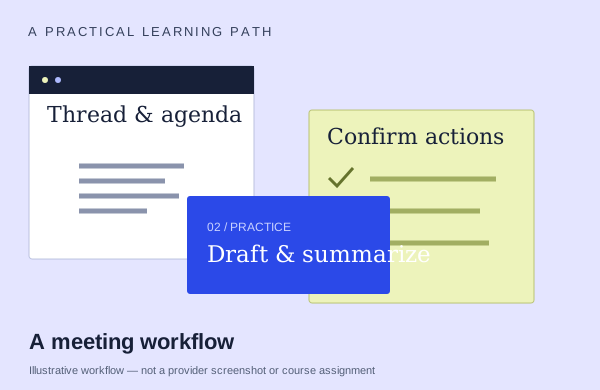
An illustrative meetings workflow: start with source material, practice and check the output
An illustration to frame your learning goal—not an assignment promised by every course.

Selection checklist

Compare the details that matter.

01 / COMPARE

Thread context

Compare how a long conversation becomes a useful summary. Ask whether the exercise checks missing context, unanswered questions and the people responsible for next steps.

02 / COMPARE

drafting/coaching

Start with source material and inspect how the draft changes. Ask which revisions you will make and how you preserve facts while improving structure and tone.

03 / COMPARE

calendar tasks

Does the lesson stop at an email draft, or continue into finding a meeting time and preparing an agenda? Identify the handoff you actually need.

04 / COMPARE

mailbox requirements

Confirm the supported Outlook version, mailbox type and account access for the demonstrated actions. Ask what changes if your setup differs.

Options to compare.

Selected examples with different tradeoffs. A broader course may include this topic as one part of its curriculum.

01 /

GetSavi

Microsoft Copilot for MS Outlook: beginners

Open Outlook Copilot. Draft for audience/tone.

Confirm training formatApproximately1hour;7lesson bullet mislabels WordAsk provider for pricing

Practice & setup: Ask whether you will watch demonstrations, work through exercises, or receive individual feedback. Ask which Microsoft account, app version and Copilot features you need for the exercises.

Confirm teaching language. Ask about current dates and enrollment.

View the provider’s course ↗
02 /

SharePoint Business Solutions, Inc. (SBSI)

Copilot in Outlook: Summarize Threads, Draft Replies, Prepare for Meetings

Thread summary→reply/Coaching→meeting time→colleague/file prep agenda→notes-based follow-up.

Live online60min live workshopAsk provider for pricing

Practice & setup: Ask whether you will watch demonstrations, work through exercises, or receive individual feedback. Daily Outlook;BYO paid Copilot,new Outlook Windows/web,OneDrive.

Confirm teaching language. Ask about current dates and enrollment.

View the provider’s course ↗
03 /

Computer Tutoring

Learn Outlook with Copilot in 90 Minutes - Calendars, Meetings and Collaboration

Combine ordinary calendar/delegation/contact tools with Copilot agenda preparation, meeting summaries and action extraction.

Confirm training format90 minutesAsk provider for pricing

Practice & setup: Ask whether you will watch demonstrations, work through exercises, or receive individual feedback. Own app experience and Copilot-enabled Microsoft 365 access required/recommended by provider; no supplied software or tenant established.

Confirm teaching language. Ask about current dates and enrollment.

View the provider’s course ↗
Confirm the exact delivery, teaching language, price basis and software access. A lab or exercise advertised by a provider is not the same as included Microsoft feature rights.
Search the wider catalog ↗